GameAP v4.5
A new version of the game server management platform is out. Most of the changes are technical and concern the plugin system: more than 1,000 files were touched and over 100,000 lines of code were added.
Updated plugin system #
The plugin system received the most changes: new capabilities were added and existing ones were extended.
New capabilities for plugins #
Plugins run in an isolated environment and interact with the panel only through functions that the panel (the host) exposes via an internal API. This set of functions has grown:
- Credential (secret) storage. Values are encrypted with the panel key (AES-256-GCM) and bound to their owner: one plugin cannot read another plugin’s secrets.
- SSH connections. Intended for provisioning new virtual servers that do not have GameAP Daemon installed yet.
This makes it possible to add and configure dedicated servers in your infrastructure automatically.
The SSH module is disabled by default; an administrator enables it with the
PLUGINS_SSH_ENABLEDenvironment variable. - Extended file operations on dedicated servers: large files are read in chunks, and files are streamed to the browser directly, without being loaded into the plugin’s memory.
Installing and updating plugins #
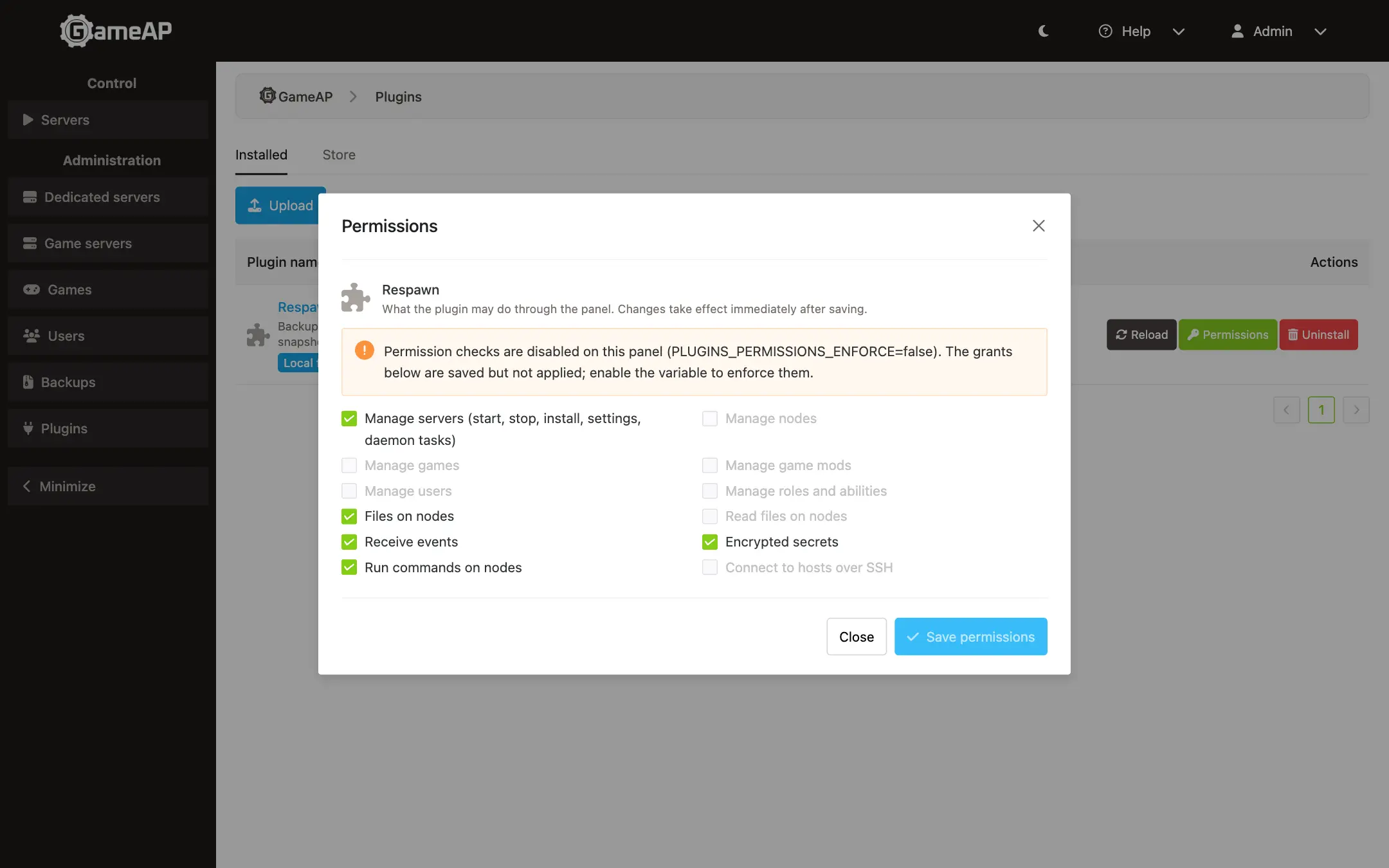
- A plugin can be updated from a local file. Before installing, the panel shows the plugin description and the permissions it requests, without installing anything.
- An update keeps the plugin’s data, settings and previously granted permissions. Permissions are never extended automatically.
- Plugins that stop are restarted automatically.
- If the panel runs as several instances, plugin state is synchronized between them automatically.
Compatibility #
Backward compatibility is verified automatically: plugins built for previous panel versions keep working in the new one.
The PLUGIN_* environment variables were renamed to PLUGINS_*. The old names still work for now,
but using them writes a warning to the log.
More places for plugins in the interface #
The number of interface locations where a plugin can add its component grew from 6 to 20: the header, the sidebar, the server page, the server list, the user profile and the administration forms.
File manager update #
The file manager received many major changes and new features.
File and directory history #
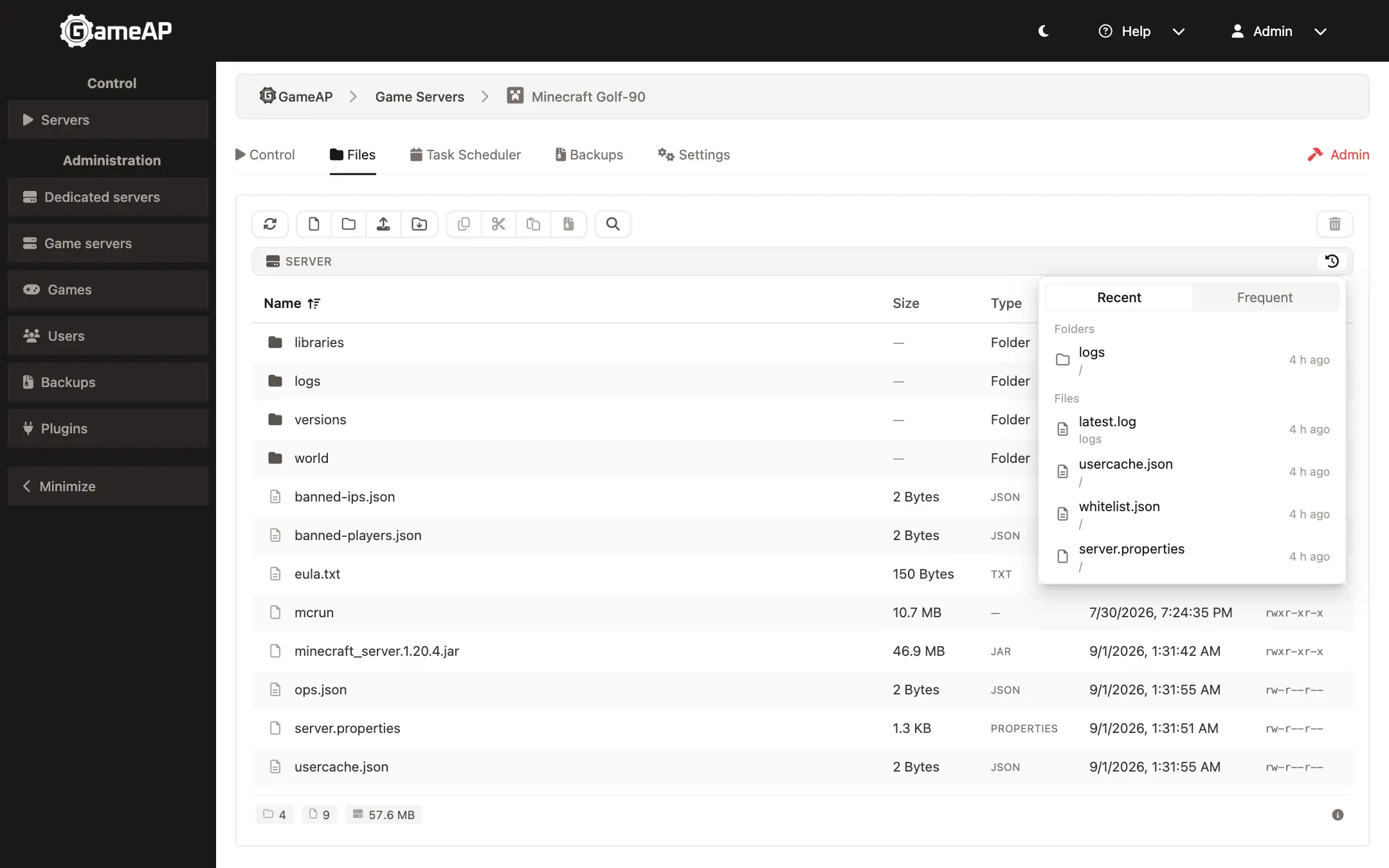
The panel remembers the directories you visited and the files you opened. The history is stored only in your browser and is never sent anywhere. It keeps two kinds of lists:
- Frequently used. The files you edit most often.
- Recently accessed. The files and directories you requested most recently.
Search in the current directory #
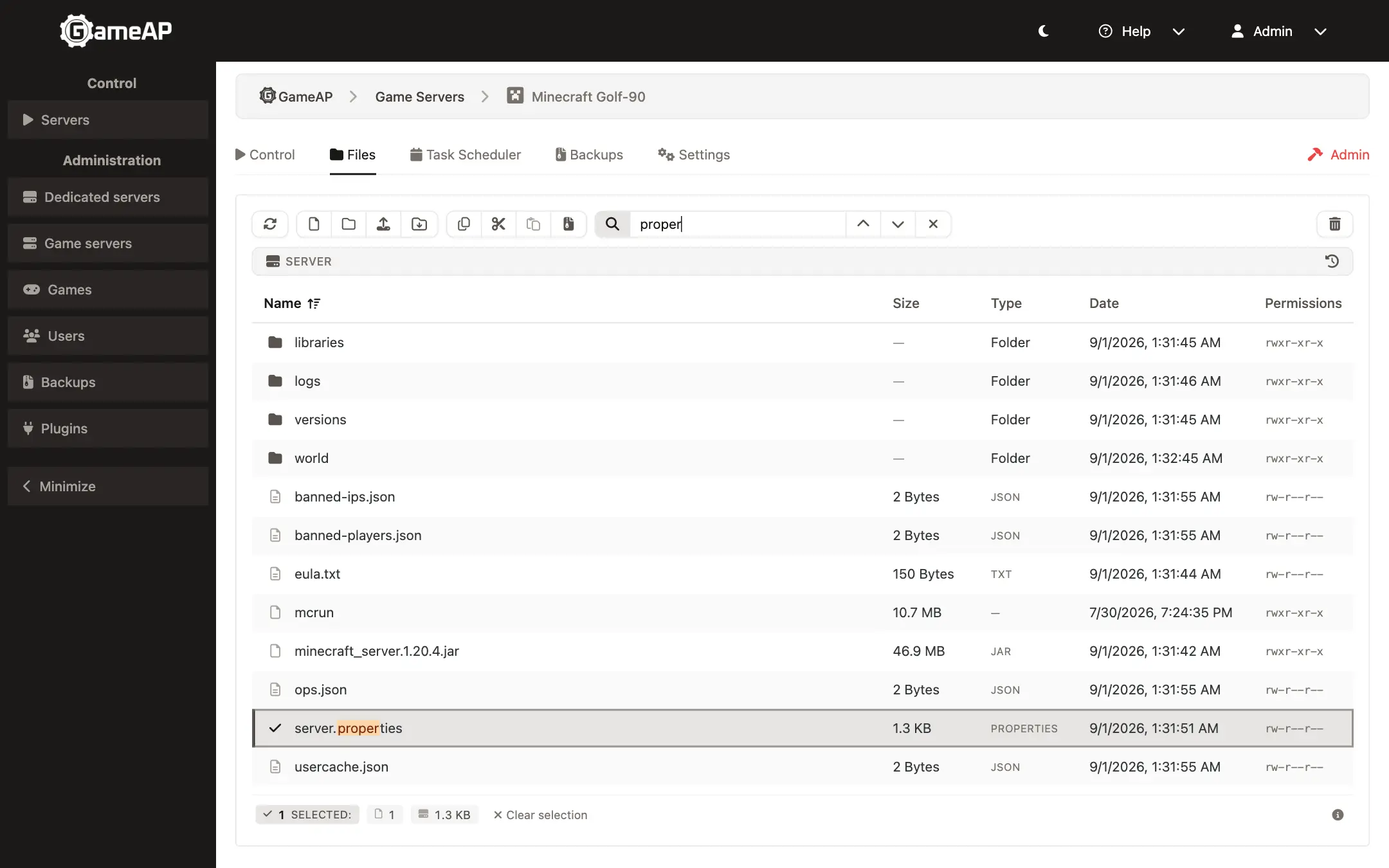
You can quickly find a file or directory in the currently open directory. There are several ways to start a search:
- Click the magnifier button on the file manager toolbar
- Press CTRL+F in your browser
- Just start typing the file name
Search also works when your keyboard layout does not match the file name you are looking for. For example, typing “ыукмукюсап” on a Russian layout finds the file “server.cfg”.
Creating and extracting archives #
You can now archive arbitrary files, groups of files and directories. Archives are placed in the server directory. Once created, they can be downloaded. Packing and unpacking are performed on the dedicated server, and the panel shows the progress of the operation.
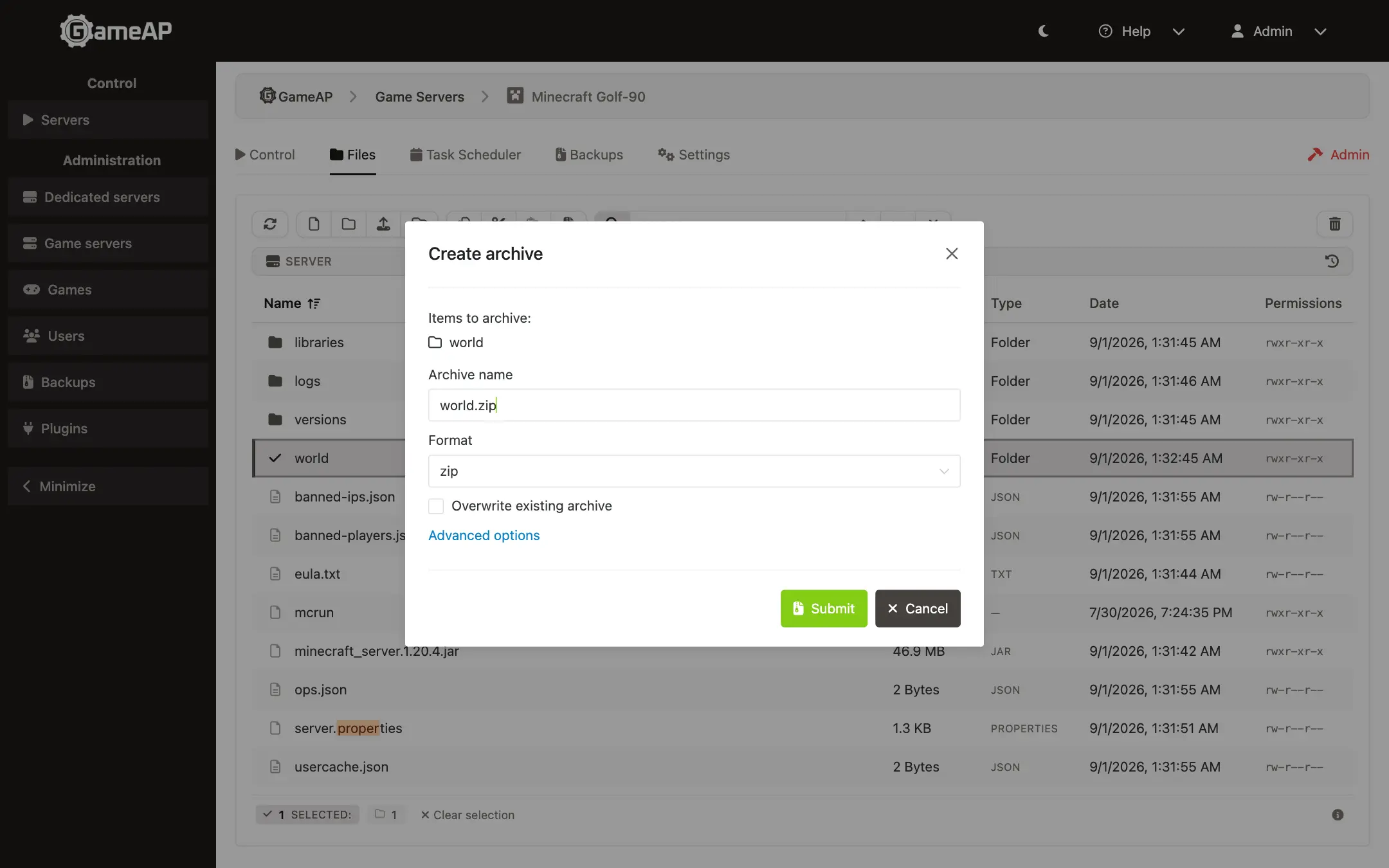
Archives can be created in the following formats:
- zip
- tar
- gzip
- bz2
- xz
- zst
You can also upload an archive to your game server directory and extract it.
Extraction is supported for all the formats above, as well as for the proprietary ones:
- 7zip
- rar
File checksums #
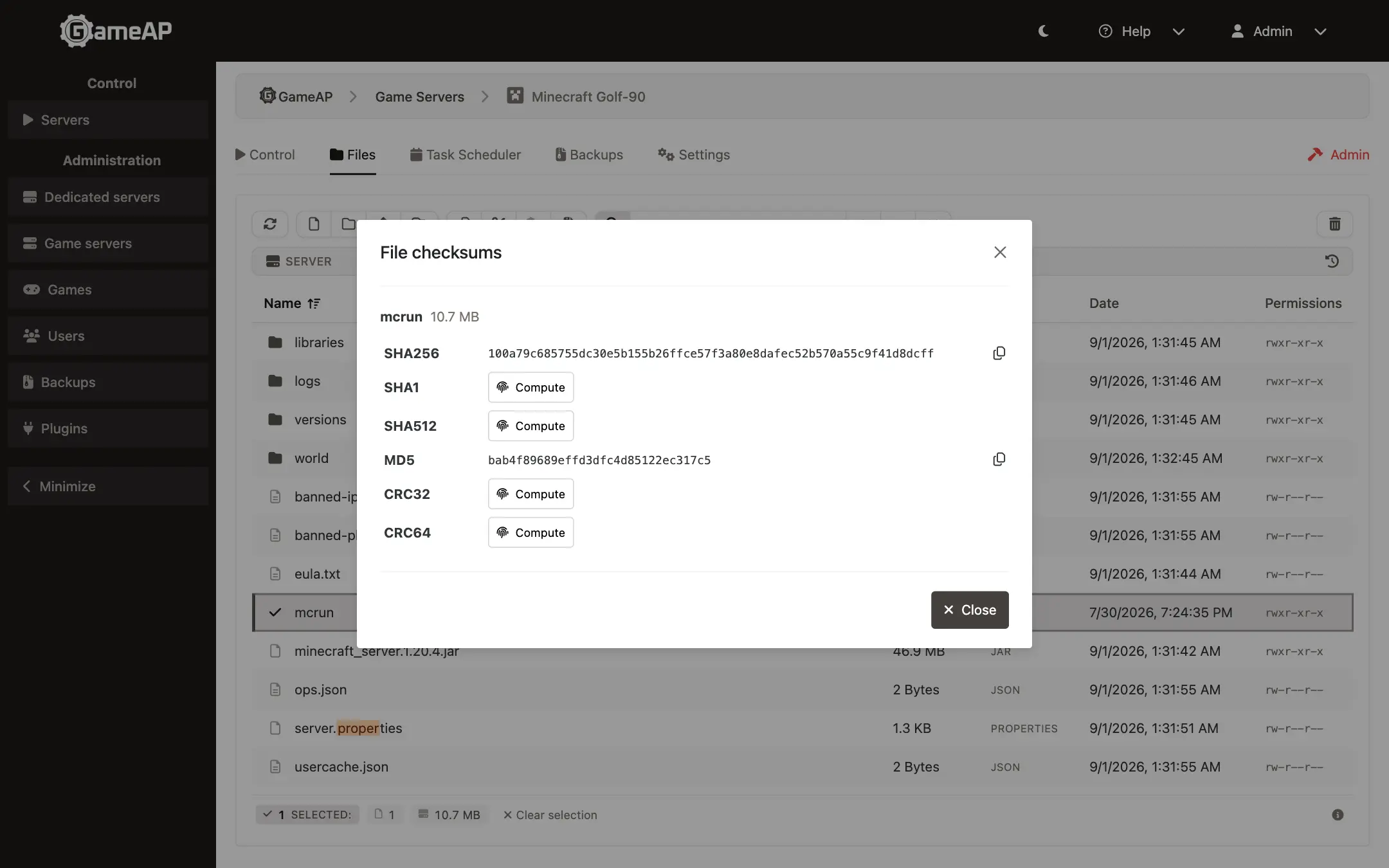
You can view checksums for the files you select. The following algorithms are supported:
- SHA256. One of the most widely used algorithms.
- MD5
- SHA1
- SHA512
- CRC32
- CRC64
Game server settings #
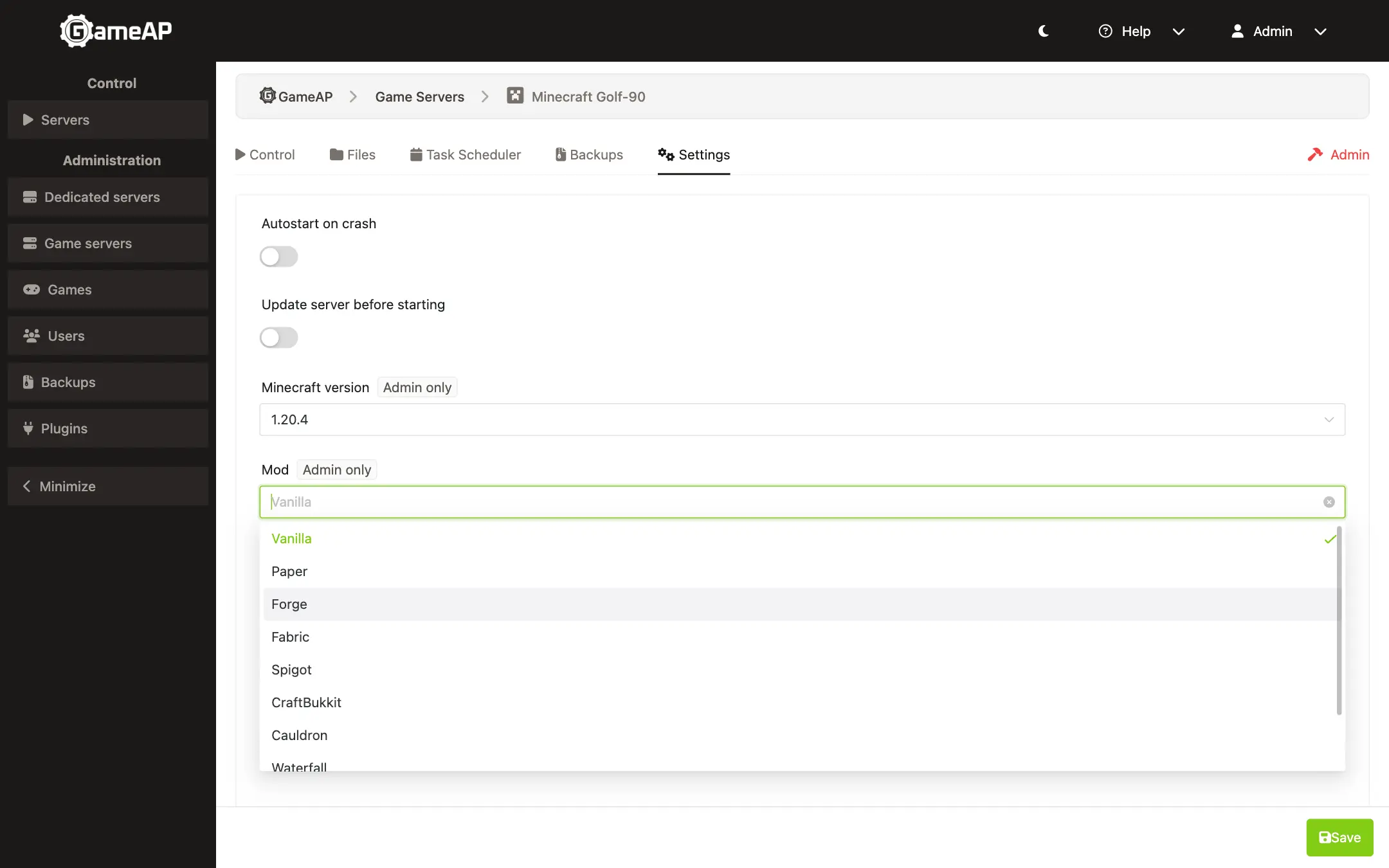
Game mod parameters can now define variable types, validation rules, a list of allowed values and other additional options. This makes editing game server settings easier: in the game server settings you can pick a predefined value.
Supported variable types: string, number, switch, select, password. A variable can have validation rules, translated name and description, and the “Admin only” flag. When the form is saved, all field errors are returned in a single response.
Game definitions can be imported from the Pelican format.
Dedicated servers now have an arbitrary set of metadata as key-value pairs.
GameAP and GameAP Daemon versions on dedicated servers #
The panel home page now shows the current GameAP version and whether the GameAP Daemon versions on dedicated servers are up to date. This helps you keep track of the platform versions and install updates in time.
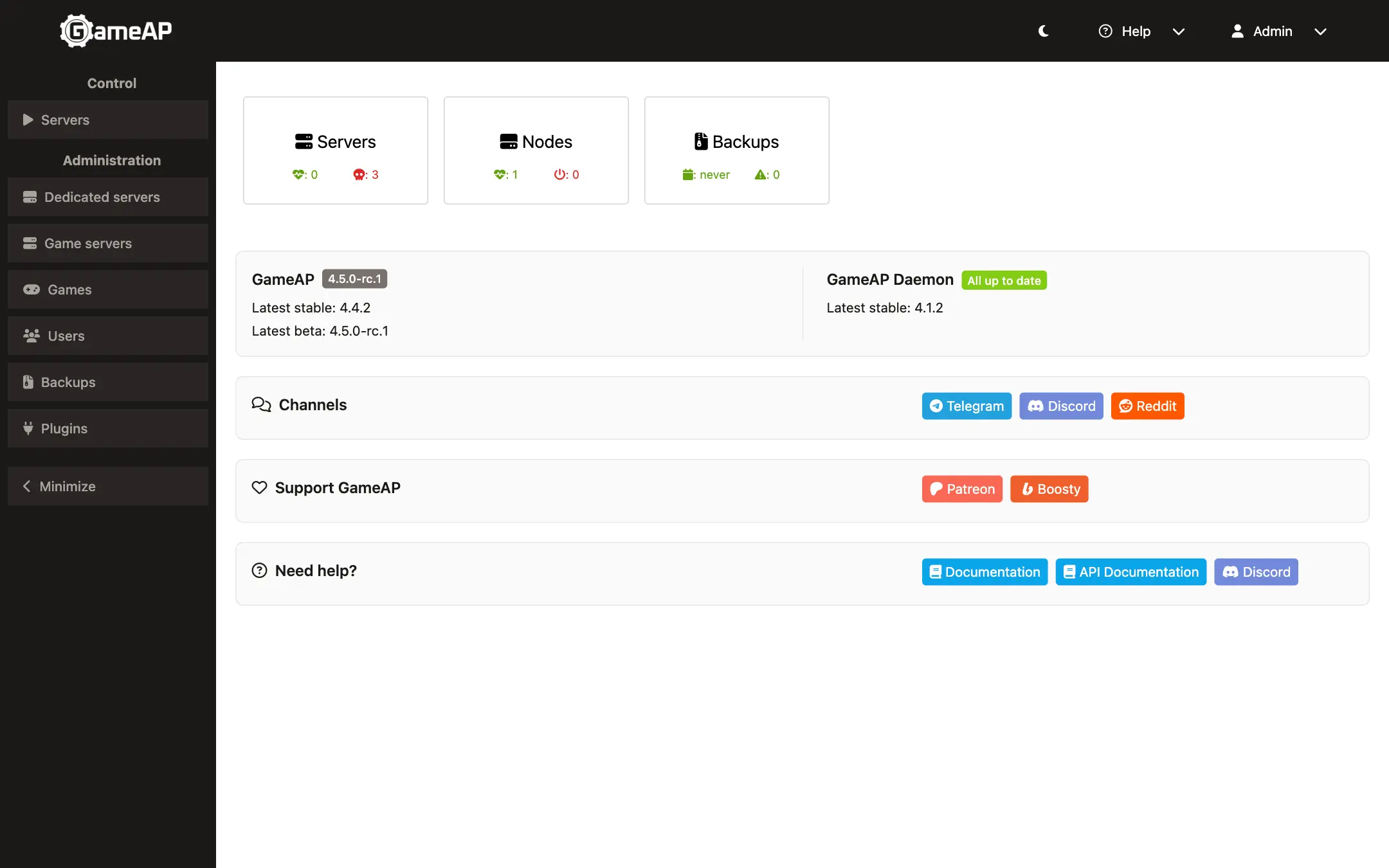
Version information is requested no more than once every 6 hours; nothing but the request itself is sent out.
The check can be disabled with the UPDATE_CHECK_ENABLED=false environment variable.
The command line now has a gameap version command.
SSO #
SSO (single sign-on) lets a user get into the panel from an external system, such as a billing system or a hosting website, without entering a password. The external system issues a one-time login ticket, and the user’s browser exchanges it for a regular session. The ticket is valid for 60 seconds and can be used only once. Administrators are still required to pass two-factor verification.
Access token security #
The rules for access tokens used in external integrations have been tightened:
- Administrative API endpoints that do not declare token abilities are now completely closed to requests with a token. Previously, such endpoints only checked the role of the token owner.
- Tokens are not allowed to assign administrative roles, change passwords or two-factor settings, regardless of the abilities granted.
Usernames and e-mail addresses are now normalized to lowercase.
Managing user access to servers #
Two new API endpoints were added for granting and revoking access to a specific server:
PUT /api/users/{id}/servers/{server}attaches the server to the given user;DELETE /api/users/{id}/servers/{server}detaches the server from the user.
Attaching a server that is already attached is not an error. Detaching keeps the privileges granted for that server, and they apply again after the server is re-attached. This simplifies integration with external systems.
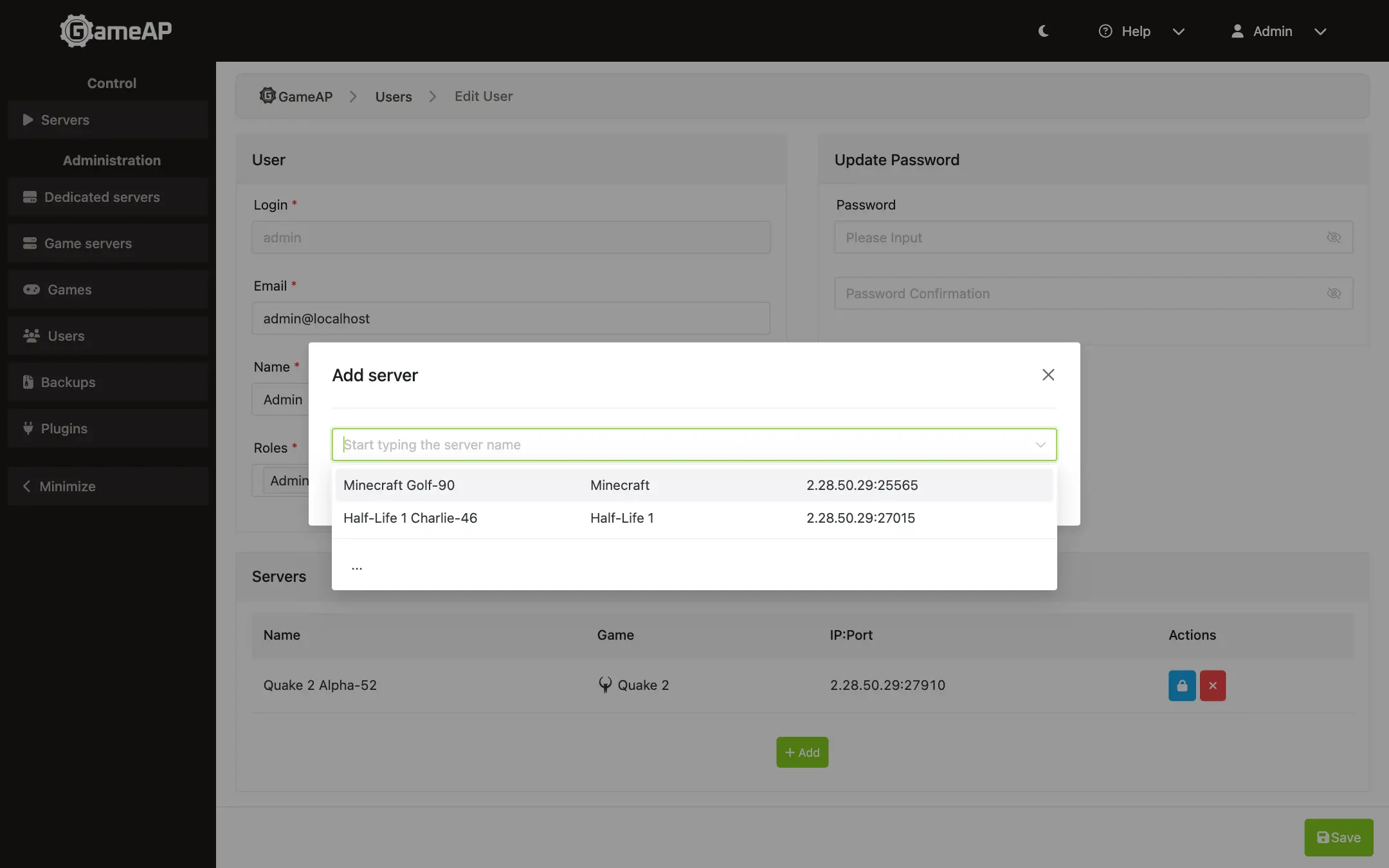
The panel interface uses the same endpoints: attaching is applied immediately, without a “Save” button. It gives the user access to a specific server and lets you grant privileges granularly; everything else on that server stays unavailable to them.
To attach a server, go to “Administration” → “Users”, select a user and click “Edit”. In the “Servers” block click “Add” and choose the server; clicking the lock icon opens the privilege selection.
New languages #
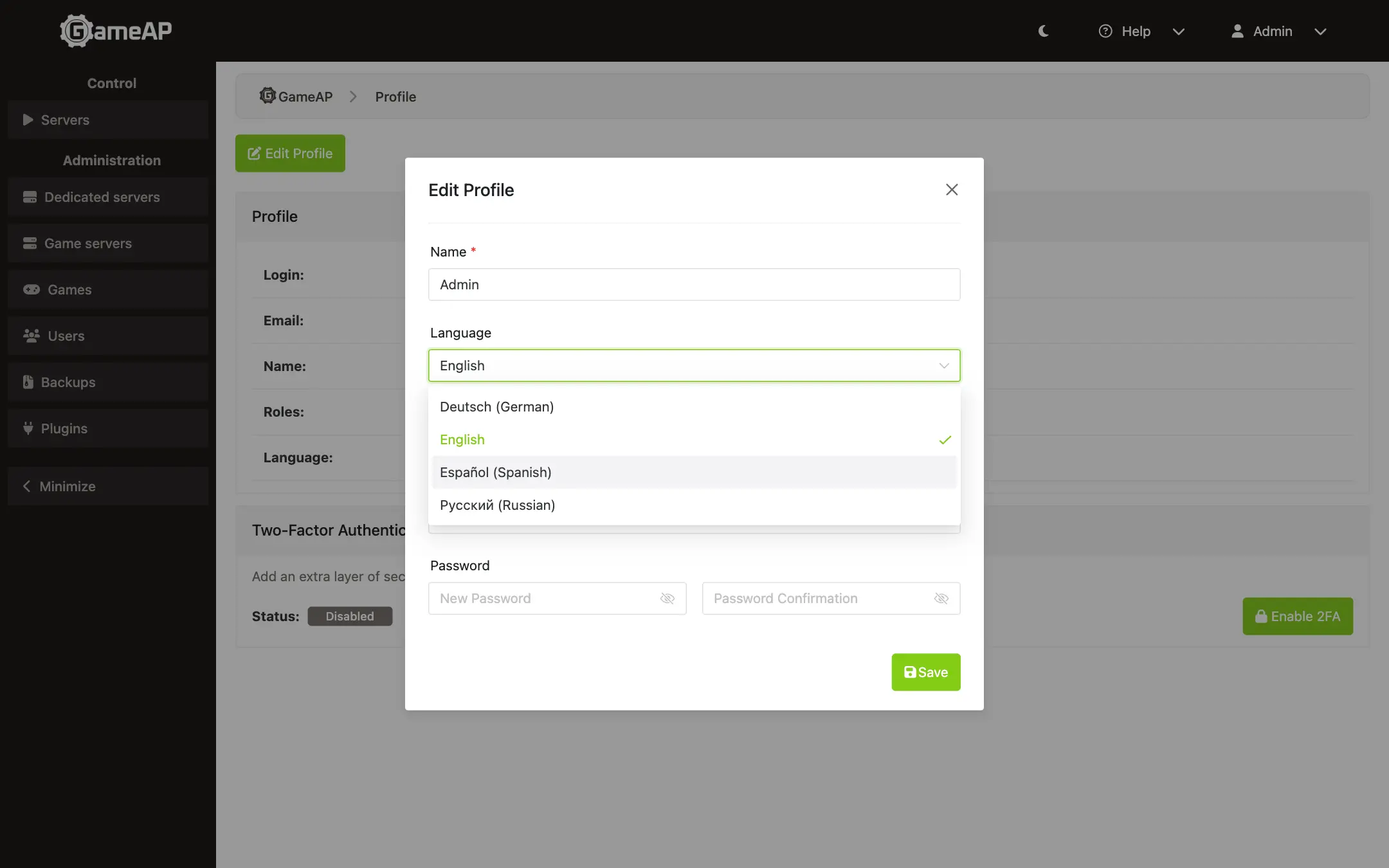
Spanish and German are now supported. To change the language, open Profile and click the “Edit Profile” button at the top. In the modal window that opens, change the “Language” field.
Other minor changes #
- The sidebar and the mobile version now use a single list of administration menu items.
- GameAP Daemon tasks were moved from the general menu to the dedicated servers page.
- Buttons and status icons were unified.
- Tests now run in parallel; internal dependencies were updated.